Ubuntu Server 22.04.2 + PX-Q3PE5 で録画システムを構築してみた

録画職人の朝は早い
環境
-
機材
- HP ProDesk 600 G2 SFF
- PX-Q3PE5
- YFFSFDC(ICカードリーダー)
-
OS
- Ubuntu Server 22.04.2 LTS
カードリーダードライバの導入
sudo apt install -y libpcsclite-dev pcscd pcsc-tools libccid
pcsc_scan
最後に Japanese Chijou Digital B-CAS Card (pay TV) と表示される
ホスト側の pcscd.socket を停止する。(Mirakurunコンテナと競合するため)
sudo systemctl stop pcscd.socket
sudo systemctl disable pcscd.socket
Dockerの導入
Docker社の公式リポジトリでdockerを導入する
sudo usermod -aG docker $USER
一旦ログアウトし再度ログインすると非rootでdockerコマンドが使えるようになる
px4_drvの導入
公式ドライバからファームウェアを抽出
sudo apt install -y git gcc make
git clone https://github.com/nns779/px4_drv
make
wget http://plex-net.co.jp/plex/pxw3u4/pxw3u4_BDA_ver1x64.zip -O pxw3u4_BDA_ver1x64
unzip -oj pxw3u4_BDA_ver1x64.zip pxw3u4_BDA_ver1x64/PXW3U4.sys
rm pxw3u4_BDA_ver1x64.zip
./fwtool PXW3U4.sys it930x-firmware.bin
sudo mkdir -p /lib/firmware
px4_drvのインストール
sudo apt install -y dkms
sudo cp -a ./ /usr/src/px4_drv-0.2.1
sudo dkms add px4_drv/0.2.1
sudo dkms install px4_drv/0.2.1
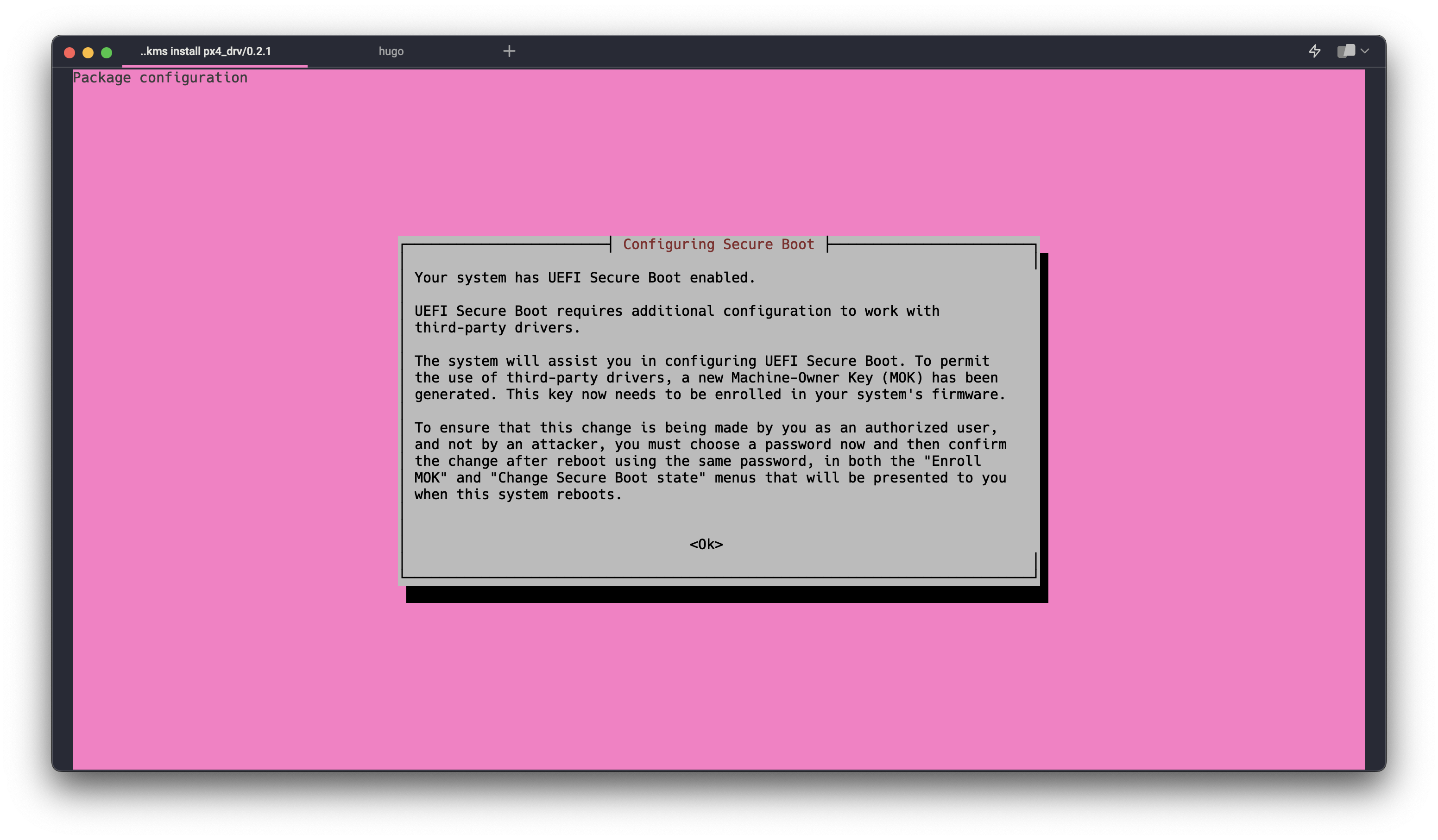
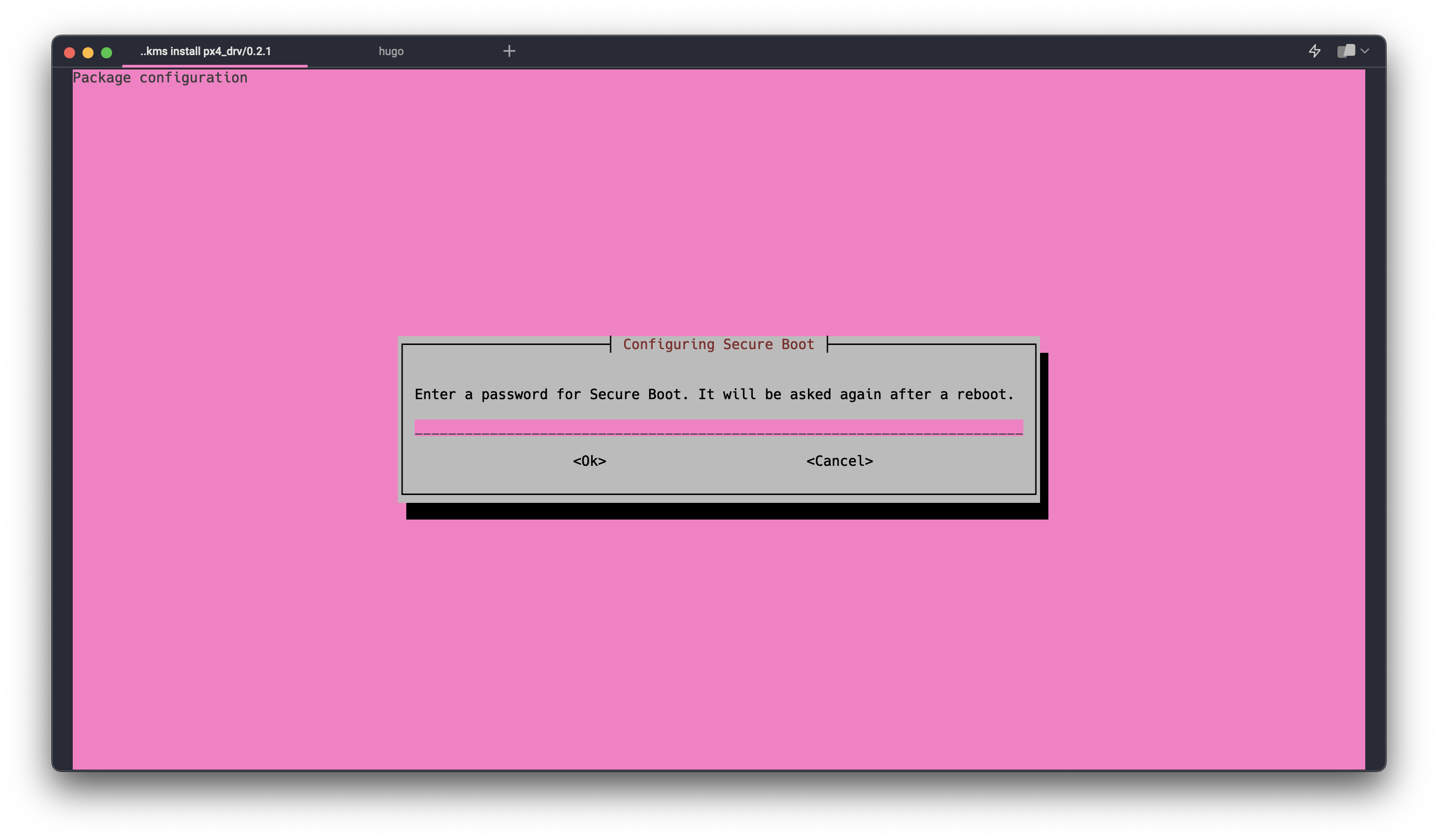
セキュアブートが有効な状態で modprobe px4_drv を実行すると modprobe: ERROR: could not insert 'px4_drv': Operation not permitted が返ってくる
一旦再起動すると↓の画像ようなブルースクリーンが表示される
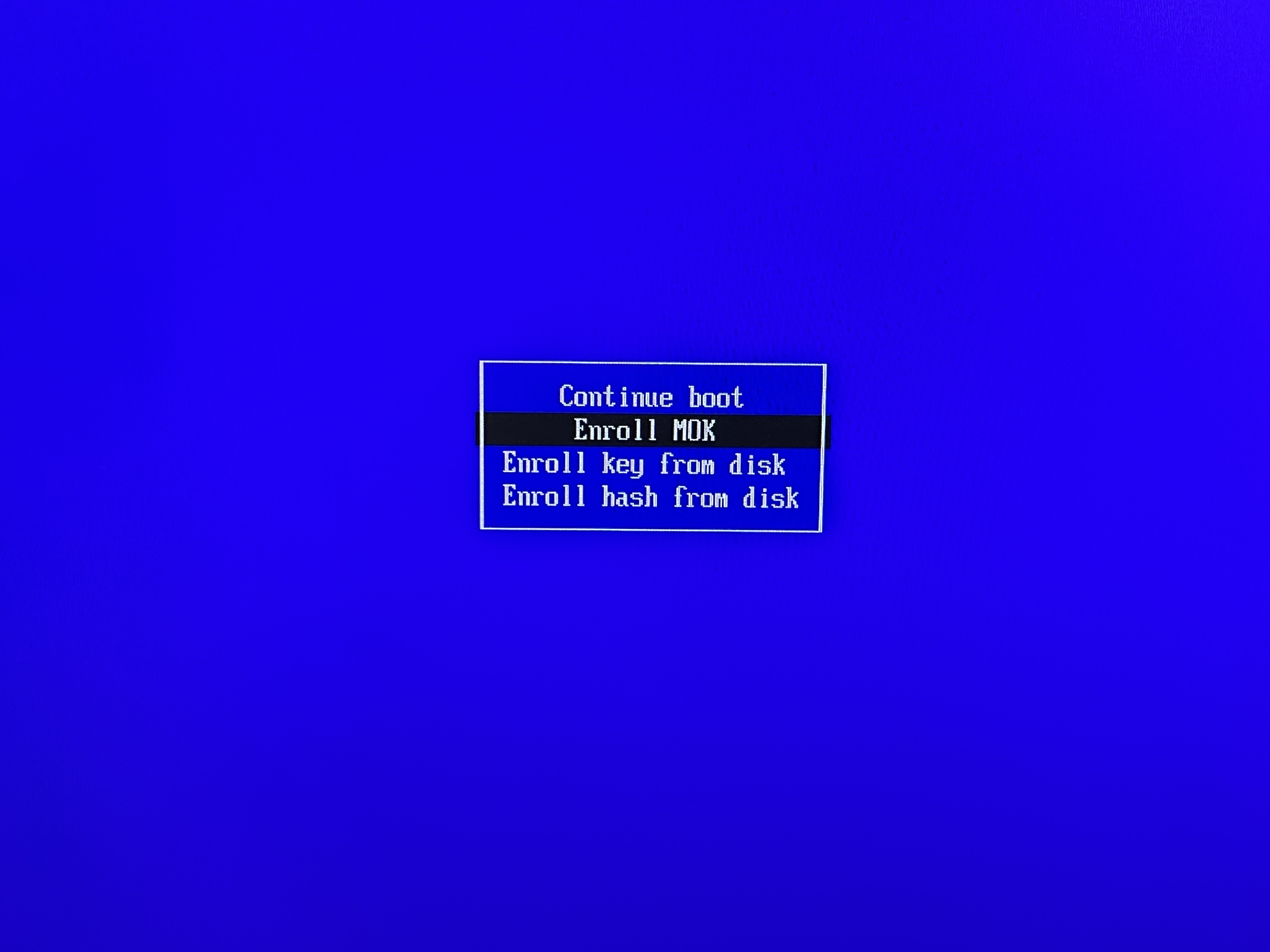
EnrollMOKを選択し dkms install 時に設定したパスワードを入力してブートすると px4_drv のインストールが完了する
動作確認
px4_drv という文字列が返ってくる
lsmod | grep -e ^px4_drv
※あらかじめチューナーを挿しておくこと
docker-mirakurun-epgstationの導入
セットアップスクリプトの実行
拾ってきたスクリプトを実行する前に中身を確認すること! https://github.com/l3tnun/docker-mirakurun-epgstation/blob/v2/setup.sh
curl -sf https://raw.githubusercontent.com/l3tnun/docker-mirakurun-epgstation/v2/setup.sh | sed -e '5s/docker-compose.yml/compose.yml/g' -e '11d' | sh -s
compose.ymlの変更
デバイスファイルの確認 を参照して devices: を変更する
--- docker-compose-sample.yml	2023-06-19 00:34:55.869030733 +0900
+++ compose.yml	2023-06-19 01:55:24.053263746 +0900
@@ -13,0 +14,2 @@
+            - ./mirakurun/run:/var/run/
+            - ./mirakurun/opt:/opt/
@@ -17,2 +20,9 @@
-            - /dev/bus:/dev/bus
-            - /dev/dvb:/dev/dvb
+            - /dev/px4video0:/dev/px4video0
+            - /dev/px4video1:/dev/px4video1
+            - /dev/px4video2:/dev/px4video2
+            - /dev/px4video3:/dev/px4video3
+            - /dev/px4video4:/dev/px4video4
+            - /dev/px4video5:/dev/px4video5
+            - /dev/px4video6:/dev/px4video6
+            - /dev/px4video7:/dev/px4video7
+            - /dev/bus:/dev/bus
recpt1の導入
mkdir -p /opt/mirakurun/opt/bin
vi /opt/mirakurun/opt/bin/startup
chmod +x /opt/mirakurun/opt/bin/startup
startupの内容
#!/bin/bash

if !(type "recpt1" > /dev/null 2>&1); then
  apt-get update
  apt-get install -y --no-install-recommends git autoconf automake

  cd /tmp
  git clone https://github.com/stz2012/recpt1.git
  cd recpt1/recpt1
  ./autogen.sh
  ./configure --prefix /opt
  make
  make install
fi

recpt1 -v
Mirakurunセットアップの実行
docker compose run --rm -e SETUP=true mirakurun
チャンネル定義
sudo vi mirakurun/conf/channels.yml
関東エリアの地上波/BS(松竹東急/Japannext/よしもと対応)/CS
- name: TOKYO MX
  type: GR
  channel: '16'
- name: フジテレビ
  type: GR
  channel: '21'
- name: TBS
  type: GR
  channel: '22'
- name: テレビ東京
  type: GR
  channel: '23'
- name: テレビ朝日
  type: GR
  channel: '24'
- name: 日テレ
  type: GR
  channel: '25'
- name: NHKEテレ・東京
  type: GR
  channel: '26'
- name: NHK総合・東京
  type: GR
  channel: '27'
- name: BS朝日
  type: BS
  channel: BS01_0
  serviceId: 151
- name: BS-TBS
  type: BS
  channel: BS01_1
  serviceId: 161
- name: BSテレ東
  type: BS
  channel: BS01_2
  serviceId: 171
- name: WOWOWプライム
  type: BS
  channel: BS03_0
  serviceId: 191
- name: NHK BSプレミアム
  type: BS
  channel: BS03_1
  serviceId: 103
- name: WOWOWライブ
  type: BS
  channel: BS05_0
  serviceId: 192
- name: WOWOWシネマ
  type: BS
  channel: BS05_1
  serviceId: 193
- name: BS11
  type: BS
  channel: BS09_0
  serviceId: 211
- name: スター・チャンネル1
  type: BS
  channel: BS09_1
  serviceId: 200
- name: TwellV
  type: BS
  channel: BS09_2
  serviceId: 222
- name: 放送大学 BS1
  type: BS
  channel: BS11_0
  serviceId: 231
- name: 放送大学 BS2
  type: BS
  channel: BS11_0
  serviceId: 232
- name: BS釣りビジョン
  type: BS
  channel: BS11_1
  serviceId: 251
- name: BS日テレ
  type: BS
  channel: BS13_0
  serviceId: 141
- name: BSフジ
  type: BS
  channel: BS13_1
  serviceId: 181
- name: BSアニマックス
  type: BS
  channel: BS13_2
  serviceId: 236
- name: NHK BS1
  type: BS
  channel: BS15_0
  serviceId: 101
- name: スター・チャンネル2
  type: BS
  channel: BS15_1
  serviceId: 201
- name: スター・チャンネル3
  type: BS
  channel: BS15_1
  serviceId: 202
- name: J SPORTS 4
  type: BS
  channel: BS19_0
  serviceId: 245
- name: J SPORTS 1
  type: BS
  channel: BS19_1
  serviceId: 242
- name: J SPORTS 2
  type: BS
  channel: BS19_2
  serviceId: 243
- name: J SPORTS 3
  type: BS
  channel: BS19_3
  serviceId: 244
- name: WOWOWプラス
  type: BS
  channel: BS21_0
  serviceId: 252
- name: 日本映画専門チャンネル
  type: BS
  channel: BS21_1
  serviceId: 255
- name: グリーンチャンネル
  type: BS
  channel: BS21_2
  serviceId: 234
- name: ディズニー・チャンネル
  type: BS
  channel: BS23_0
  serviceId: 256
- name: BSよしもと
  type: BS
  channel: BS23_1
  serviceId: 265
- name: BSJapanext
  type: BS
  channel: BS23_2
  serviceId: 263
- name: BS松竹東急
  type: BS
  channel: BS23_3
  serviceId: 260
- name: TBSチャンネル1
  type: CS
  channel: CS2
  serviceId: 296
- name: テレ朝チャンネル1
  type: CS
  channel: CS2
  serviceId: 298
- name: テレ朝チャンネル2
  type: CS
  channel: CS2
  serviceId: 299
- name: ディズニージュニア
  type: CS
  channel: CS2
  serviceId: 339
- name: スカイA
  type: CS
  channel: CS4
  serviceId: 250
- name: 時代劇専門ch
  type: CS
  channel: CS4
  serviceId: 292
- name: エンタメ~テレ
  type: CS
  channel: CS4
  serviceId: 301
- name: MTV
  type: CS
  channel: CS4
  serviceId: 323
- name: ホームドラマch
  type: CS
  channel: CS6
  serviceId: 294
- name: ミュージック・エア
  type: CS
  channel: CS6
  serviceId: 324
- name: 歌謡ポップスch
  type: CS
  channel: CS6
  serviceId: 329
- name: カートゥーン
  type: CS
  channel: CS6
  serviceId: 331
- name: ディスカバリーチャンネル
  type: CS
  channel: CS6
  serviceId: 340
- name: アニマルプラネット
  type: CS
  channel: CS6
  serviceId: 341
- name: CNNj
  type: CS
  channel: CS6
  serviceId: 354
- name: 囲碁・将棋チャンネル
  type: CS
  channel: CS6
  serviceId: 363
- name: 東映チャンネル
  type: CS
  channel: CS8
  serviceId: 218
- name: 日テレNEWS24
  type: CS
  channel: CS8
  serviceId: 349
- name: 衛星劇場
  type: CS
  channel: CS10
  serviceId: 219
- name: スポーツライブ+
  type: CS
  channel: CS10
  serviceId: 800
- name: スカチャン1
  type: CS
  channel: CS10
  serviceId: 801
- name: GAORA
  type: CS
  channel: CS12
  serviceId: 254
- name: エムオン!
  type: CS
  channel: CS12
  serviceId: 325
- name: キッズステーション
  type: CS
  channel: CS12
  serviceId: 330
- name: ナショナルジオグラフィック
  type: CS
  channel: CS12
  serviceId: 343
- name: ザ・シネマ
  type: CS
  channel: CS14
  serviceId: 227
- name: ファミリー劇場
  type: CS
  channel: CS14
  serviceId: 293
- name: スーパー!ドラマTV
  type: CS
  channel: CS14
  serviceId: 310
- name: ヒストリーチャンネル
  type: CS
  channel: CS14
  serviceId: 342
- name: SKY STAGE
  type: CS
  channel: CS16
  serviceId: 290
- name: AXN海外ドラマ
  type: CS
  channel: CS16
  serviceId: 311
- name: AXNミステリー
  type: CS
  channel: CS16
  serviceId: 316
- name: スペシャプラス
  type: CS
  channel: CS16
  serviceId: 321
- name: AT-X
  type: CS
  channel: CS16
  serviceId: 333
- name: BBCワールドニュース
  type: CS
  channel: CS16
  serviceId: 353
- name: ムービープラス
  type: CS
  channel: CS18
  serviceId: 240
- name: ゴルフネットワーク
  type: CS
  channel: CS18
  serviceId: 262
- name: チャンネル銀河
  type: CS
  channel: CS18
  serviceId: 305
- name: 女性ch/LaLa
  type: CS
  channel: CS18
  serviceId: 314
- name: フジテレビONE
  type: CS
  channel: CS20
  serviceId: 307
- name: フジテレビTWO
  type: CS
  channel: CS20
  serviceId: 308
- name: フジテレビNEXT
  type: CS
  channel: CS20
  serviceId: 309
- name: スペースシャワーTV
  type: CS
  channel: CS20
  serviceId: 322
- name: TBSチャンネル2
  type: CS
  channel: CS22
  serviceId: 297
- name: FOX
  type: CS
  channel: CS22
  serviceId: 312
- name: TBS NEWS
  type: CS
  channel: CS22
  serviceId: 351
- name: 映画ch・NECO
  type: CS
  channel: CS24
  serviceId: 223
- name: 日テレG+
  type: CS
  channel: CS24
  serviceId: 257
- name: MONDO TV
  type: CS
  channel: CS24
  serviceId: 295
- name: 日テレプラス
  type: CS
  channel: CS24
  serviceId: 300
チューナー定義
sudo vi mirakurun/conf/tuners.yml
デバイスファイルの確認 でデバイスファイルの割当を調べておく
- name: PX-Q3PE5-T1
  types:
    - GR
  decoder: arib-b25-stream-test
  isDisabled: false
  command: recpt1 --device /dev/px4video2 <channel> - -
- name: PX-Q3PE5-T2
  types:
    - GR
  command: recpt1 --device /dev/px4video3 <channel> - -
  decoder: arib-b25-stream-test
  isDisabled: false
- name: PX-Q3PE5-T3
  types:
    - GR
  command: recpt1 --device /dev/px4video6 <channel> - -
  decoder: arib-b25-stream-test
  isDisabled: false
- name: PX-Q3PE5-T4
  types:
    - GR
  command: recpt1 --device /dev/px4video7 <channel> - -
  decoder: arib-b25-stream-test
  isDisabled: false
- name: PX-Q3PE5-S1
  types:
    - BS
    - CS
  decoder: arib-b25-stream-test
  isDisabled: false
  command: recpt1 --device /dev/px4video0 <channel> - -
- name: PX-Q3PE5-S2
  types:
    - BS
    - CS
  command: recpt1 --device /dev/px4video1 <channel> - -
  decoder: arib-b25-stream-test
  isDisabled: false
- name: PX-Q3PE5-S3
  types:
    - BS
    - CS
  command: recpt1 --device /dev/px4video4 <channel> - -
  decoder: arib-b25-stream-test
  isDisabled: false
- name: PX-Q3PE5-S5
  types:
    - BS
    - CS
  command: recpt1 --device /dev/px4video5 <channel> - -
  decoder: arib-b25-stream-test
  isDisabled: false
起動
docker-compose up -d
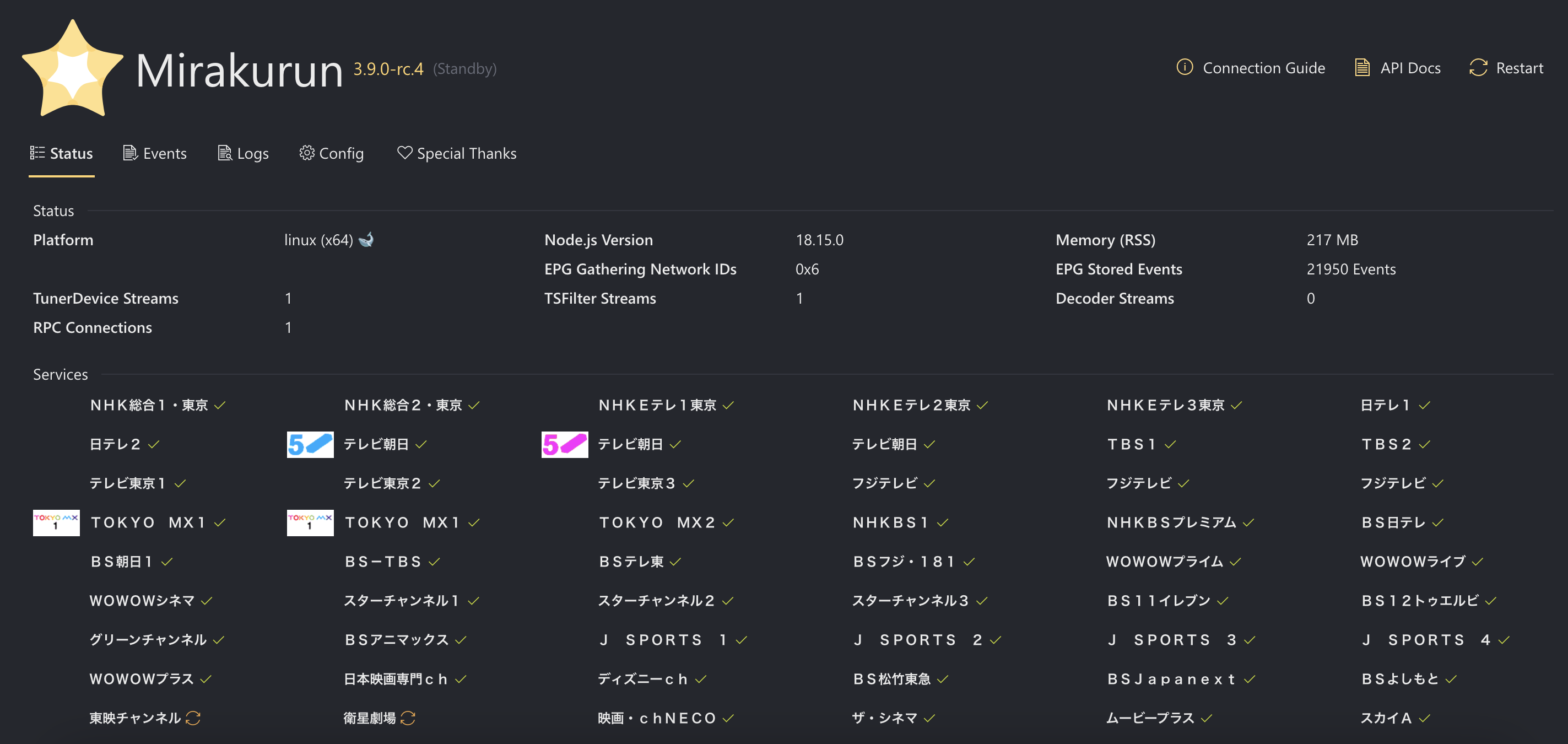
Mirakurun
http://IPアドレス:40772(覚え方: よぉ、ちなつ。)
局ロゴはBS1を視聴すると20分ほどで反映される
EPGStation
http://IPアドレス:8888
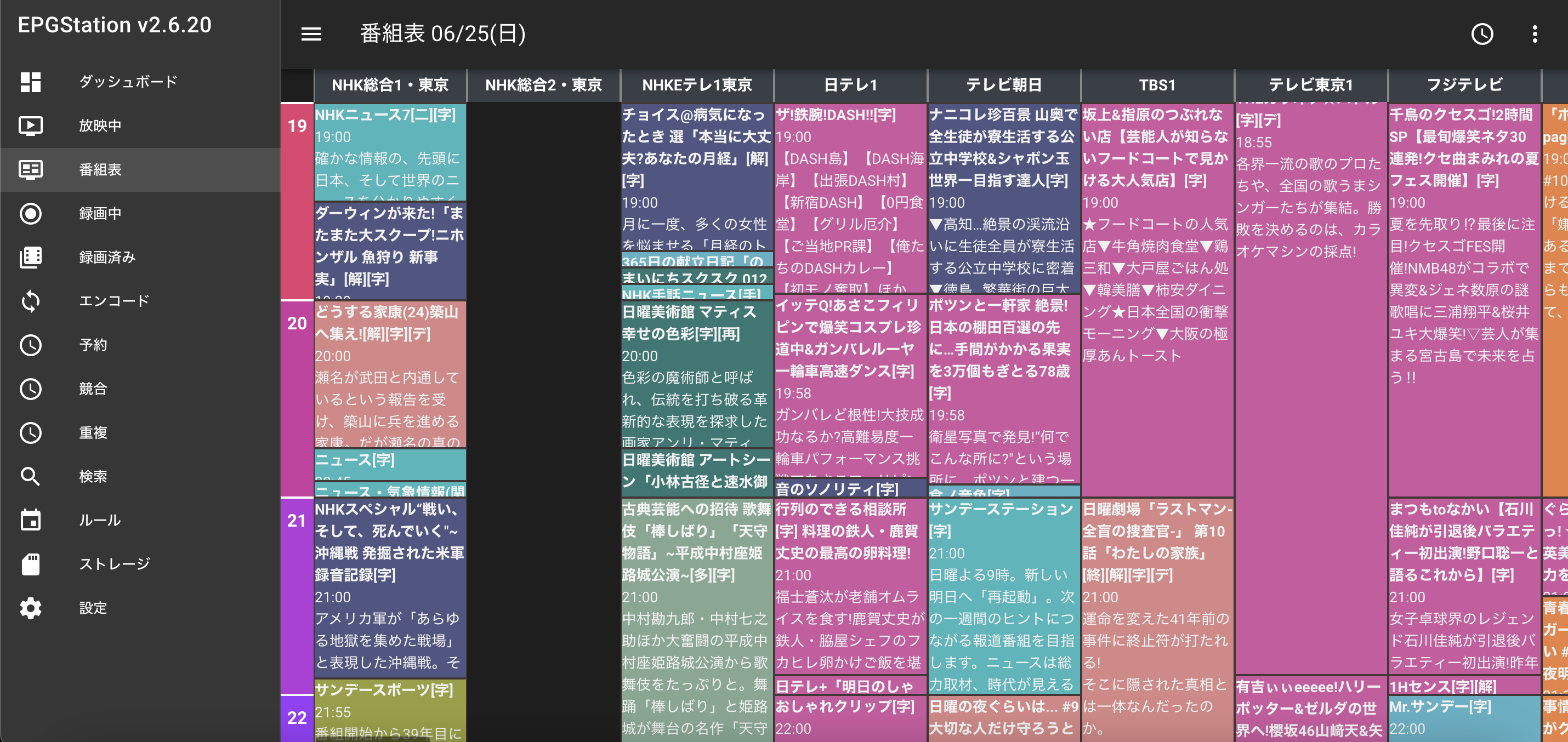
その他、 config.yml 詳細マニュアル を読んでお好みで調整する
お疲れ様でした